
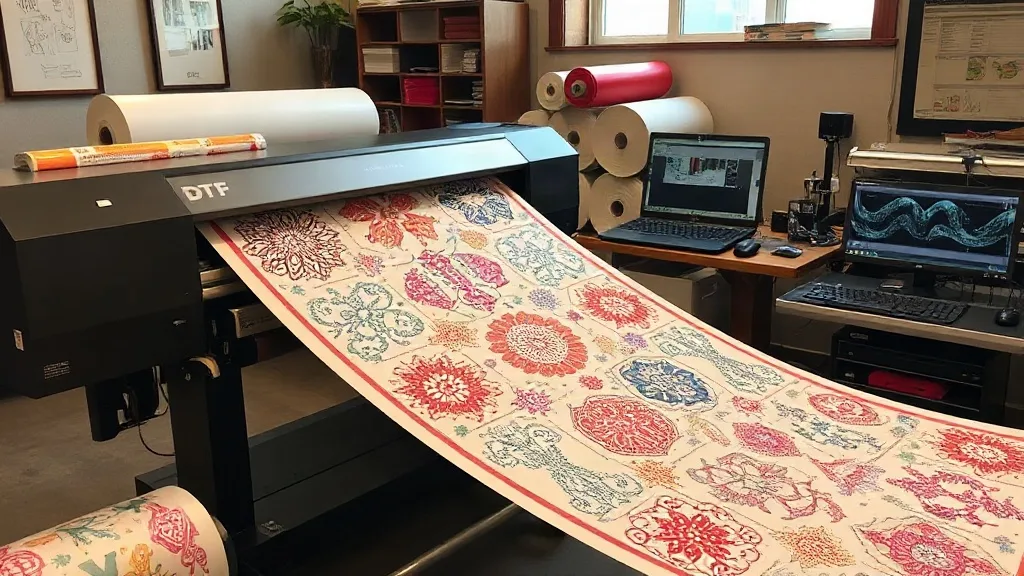
If you're in the custom apparel business, you know that time is money. Every second spent cutting, weeding, and aligning vinyl adds up. That's where DTF Gangsheet comes in—a game-changing approach that lets you print multiple designs in one go, slashing labor and material costs. In this guide, we'll dive deep into what gangsheets are, why they're revolutionizing the industry, and how you can leverage them to scale your production without sacrificing quality.
What Exactly Is a DTF Gangsheet?
At its core, a DTF (Direct-to-Film) gangsheet is a single sheet of transfer film that contains multiple designs printed simultaneously. Think of it as a digital collage of your artwork, arranged efficiently to maximize space. Instead of printing each design individually, you send one file to your DTF printer, and it produces a sheet with all your jobs nested together. This is particularly useful for small businesses that handle varied orders—from team jerseys to personalized gifts—because it eliminates the need for separate runs.
The term "gang" refers to grouping items together, and that's exactly what you're doing: grouping prints to save time and resources. Unlike traditional screen printing, which requires separate screens for each color, DTF gangsheets use a single film and a heat press, making them incredibly versatile for short runs and complex designs.
Why DTF Gangsheets Are a Game-Changer for Your Business
You might be wondering: what's the big deal? Let's break down the key benefits that make gangsheets a must-have for any serious apparel decorator.
Save Time and Increase Throughput
Time is your most valuable asset. With a gangsheet, you print all your designs in one pass. That means no more loading the printer multiple times for different jobs. For example, if you have 20 different t-shirt designs for a local sports team, you can nest them all onto one sheet, print it, and then press them one after another. The time savings are substantial—what used to take hours now takes minutes.
Reduce Material Waste
DTF printing involves film and powder, and those costs add up. By nesting designs closely on a gangsheet, you minimize unused space on the film. This is especially important if you're printing small logos or intricate patterns that would otherwise leave large gaps. Over hundreds of prints, the savings in film and powder can significantly impact your bottom line.
Cost-Effective for Small and Large Orders
Whether you're fulfilling a single custom order or a batch of 100, gangsheets adapt to your needs. For small orders, you can combine multiple designs from different customers onto one sheet, spreading the cost. For large orders, you can optimize the layout to fit as many copies as possible, reducing per-unit cost. This flexibility is why many print shops are switching to DTF gangsheets for their daily operations.
Consistent Quality Across All Prints
When you print designs individually, slight variations in temperature, pressure, or film tension can cause inconsistencies. With a gangsheet, all designs go through the same printer settings and curing process, ensuring uniform quality. This is crucial for brand consistency, especially when you're producing merchandise for a business that demands exact color matching.
How to Create an Effective DTF Gangsheet
Creating a gangsheet isn't just about throwing designs onto a canvas. A well-planned layout can mean the difference between profit and loss. Here's a step-by-step approach to optimize your gangsheets.
Step 1: Gather and Prepare Your Artwork
Collect all the designs you need to print for the day or week. Ensure each file is high resolution (at least 300 DPI) and has a transparent background. Use design software like Photoshop or Illustrator to clean up any artifacts and standardize colors. Remember, DTF printing works best with vibrant, solid colors, so avoid gradients that might not reproduce well.
Step 2: Use Nesting Software for Optimal Layout
Manually arranging designs can be tedious and inefficient. Invest in nesting software or use features in your RIP software that automatically arrange designs to minimize waste. These tools consider the shape of each design and rotate them to fill gaps. For example, if you have several circular logos, the software will nest them in a honeycomb pattern to use every inch of film.
Step 3: Consider Print Orientation and Film Width
DTF film comes in various widths, typically 13, 17, or 24 inches. Choose the width that best fits your designs to avoid excess trimming. Also, orient designs so that the longest dimension aligns with the film width if possible. This reduces the overall length of the sheet and saves film.
Step 4: Add Registration Marks and Spacing
Leave a small gap (about 0.1 to 0.2 inches) between designs to prevent color bleeding and make cutting easier. Include registration marks at the corners if your cutter uses optical alignment. These marks help ensure precise cutting after printing.
Step 5: Print, Cure, and Press
Once your gangsheet is ready, print it using your DTF printer. Follow the manufacturer's guidelines for powder application and curing. After curing, you can cut the designs individually or use a plotter for automated cutting. Then, press each design onto the garment using a heat press. Because all designs are on one sheet, you can streamline the pressing process by preheating the press and working in batches.
Common Mistakes to Avoid with DTF Gangsheets
Even seasoned pros can slip up. Here are pitfalls to watch out for:
- Overcrowding: Packing designs too tightly can cause ink smudging or poor adhesion. Always leave adequate spacing.
- Ignoring film direction: Some films have a coated side; printing on the wrong side ruins the transfer. Double-check before printing.
- Inconsistent powder application: Too much powder leads to a rough feel; too little causes cracking. Use a powder shaker for even coverage.
- Skipping test prints: Always do a small test print to check color accuracy and adhesion before committing to a full gangsheet.
Maximizing ROI: Tips from the Pros
We've talked to print shop owners who swear by these strategies:
- Batch similar jobs: Group designs with similar color profiles to reduce printer setup time.
- Use roll film for long runs: If you have many designs, a roll-to-roll DTF printer can produce continuous gangsheets, further reducing labor.
- Invest in a heat press with a large platen: This allows you to press multiple designs simultaneously if they're small.
- Keep a digital library: Organize your gangsheet files by date and customer for easy reprints.
Frequently Asked Questions About DTF Gangsheets
Can I mix different fabric types on one gangsheet?
Yes, DTF transfers adhere to cotton, polyester, blends, and even nylon. However, pressing conditions (temperature, time, pressure) may vary slightly. It's best to group garments with similar pressing requirements on the same gangsheet to maintain consistency.
How do I determine the right size for my gangsheet?
The size depends on your printer's maximum print width and the number of designs. Standard film widths are 13", 17", and 24". Choose a width that accommodates your largest design and then arrange smaller designs around it. Most RIP software will show you the total length used, so you can adjust accordingly.
What's the typical turnaround time for a gangsheet order?
Turnaround varies by shop, but with DTF, you can often print and press within 24 hours. If you're outsourcing, many suppliers offer same-day or next-day production for gangsheets, especially if you provide print-ready files.
Is a DTF gangsheet cost-effective for small orders?
Absolutely. For small orders, you can combine multiple designs from different customers onto one sheet, spreading the cost. Many print shops charge by the sheet, so the more designs you fit, the lower your per-unit cost.
Can I reuse a gangsheet film after pressing?
No, DTF film is single-use. Once the transfer is pressed, the film is discarded. However, you can save the digital file and reprint it as needed.
DTF gangsheets are more than just a trend—they're a smart way to work. By adopting this method, you'll reduce waste, save time, and deliver high-quality products that keep customers coming back. Ready to give it a try? Start by planning your next gangsheet layout and see the difference it makes in your workflow.